AI content optimization tools now do two jobs, grading a draft for Google and showing which pages AI answers cite. The five tools below are compared on the jobs AI search adds, from citation gaps tied to your own pages to claim and voice controls and the meter behind each bill.
These picks apply to in-house B2B teams optimizing their own pages for Google and AI answers. No tool guarantees a citation, and none checks whether a claim is true.
Best AI Content Optimization Tools Compared
Surfer is the strongest all-round AI content optimization tool for most in-house teams because it pairs a Content Editor that scores SEO and AI Search side by side with an AI Tracker covering ChatGPT, Gemini, Perplexity, Google AI Mode and AI Overviews, while AirOps, Clearscope, Conductor and Semrush each win a narrower job.
Each of the five vendors says its product helps with AI search. The engines each one names on its own pages differ, though, and that list decides which answers you can see. Semrush names Google AI Mode and ChatGPT. Clearscope names Google, ChatGPT, Gemini and Claude. Conductor adds Copilot. AirOps names ChatGPT and AI Mode, then says "and more". The table below names only the engines each vendor lists.
| Tool | Pricing model | Free trial | Best for | AI engines named | Citation-gap view | Usage meter |
|---|---|---|---|---|---|---|
| Surfer | Paid | All-round content teams | Five incl. Perplexity, AI Overviews | Owned Content filter | Plan tier gates MCP, API | |
| AirOps | Quote only | 14 days, no card needed | Refreshing pages at volume | ChatGPT, AI Mode and more | Page360 citation rate per page | Tasks, with overage |
| Clearscope | Paid | 14 days | Editors in Docs or Word | Google, ChatGPT, Gemini, Claude | Track view vs competitors | Drafts, extras per plan |
| Conductor | Quote only | Enterprise AEO and governance | ChatGPT, Gemini, Copilot, Claude | Brand visibility, AI bot crawls | Separate modules | |
| Semrush | Freemium | 7 days | Existing Semrush customers | Google AI Mode, ChatGPT | Separate AI Visibility Toolkit | Toolkits and prompt caps |
The ranking below reflects how well each tool covers the full job of finding a gap, briefing the fix and keeping claims under control.
- SurferBest for all-round content teams
- AirOpsBest for refreshing pages at volume
- ClearscopeBest for editors in Docs or Word
- ConductorBest for enterprise AEO and governance
- SemrushBest for existing Semrush customers
How We Chose These Tools
Each tool on this list had to do two things documented on its own site, guide the writing or refresh of a page and show where AI answers cite you or your competitors.
The inclusion bar had three parts. A tool had to give in-editor or brief-level guidance for writing or refreshing a page. It had to show where AI answers mention or cite you or a competitor. And it had to document both on its own site.
Tools that cleared the bar were then ranked on five criteria, in this order:
- Citation-gap view: Whether the tool ties AI citations to your own pages, so a gap points to a URL you can fix.
- Optimization guidance: Whether the editor or brief aims at AI answers as well as Google.
- Claim and voice controls: Knowledge sources, brand voice settings and fact inputs that keep drafts grounded.
- Workflow fit: Editors, CMS connections, API and MCP access.
- What drives the bill: Tasks, drafts, prompts or modules, beyond the list price.
These criteria measure features, not outcomes, and no tool here can promise a citation.
Three widely listed tools were considered and left out:
Considered, not included
| Tool | Why not on this list |
|---|---|
| Frase | Positioned for content briefs with NLP entities rather than citation-gap work |
| Ahrefs AI Content Helper | Works only inside an Ahrefs subscription |
| MarketMuse | Positioned for content strategy and competitive edge |
Surfer
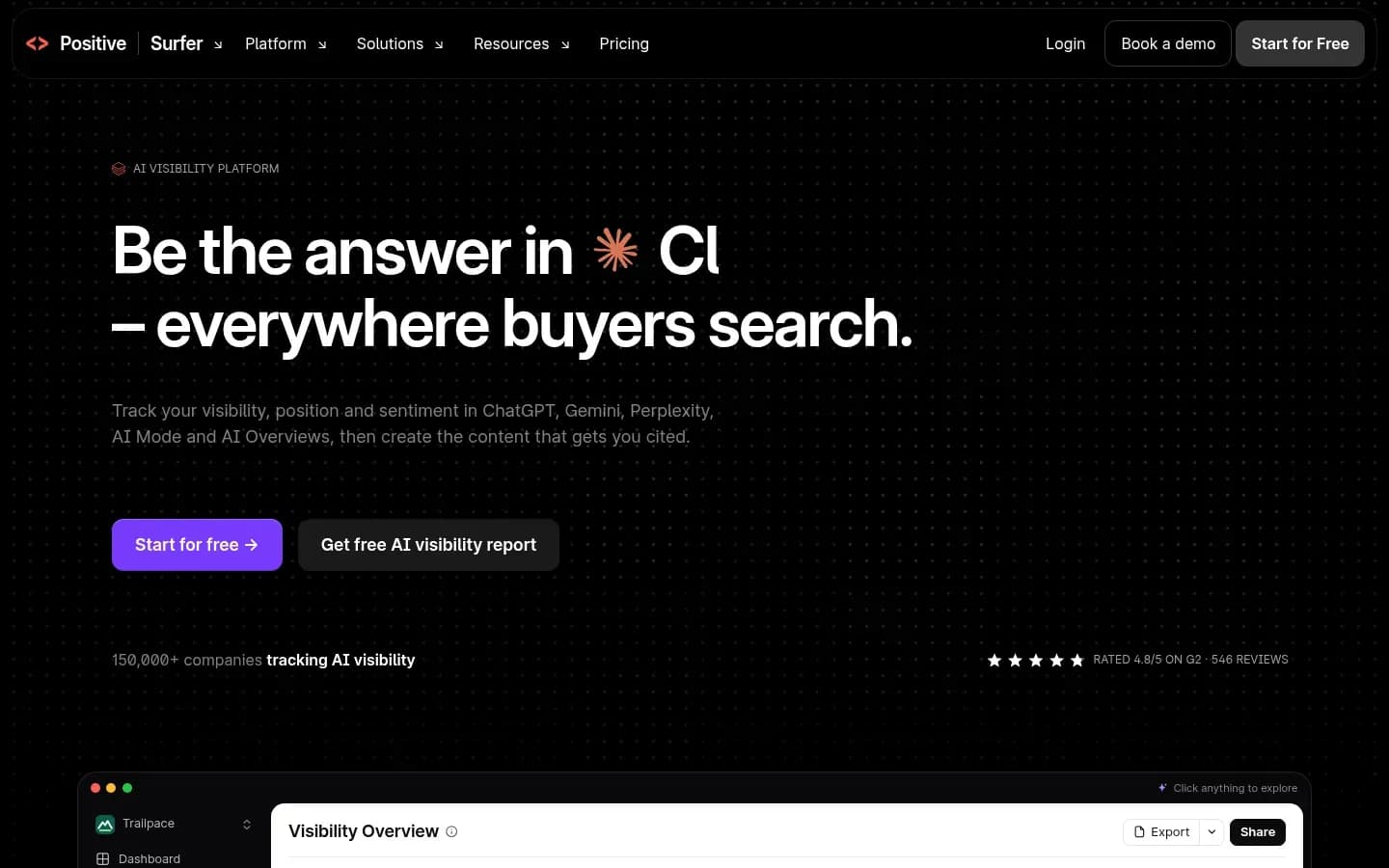
Surfer's Content Editor scores a draft for SEO and AI Search side by side, and its AI Tracker's Owned Content filter shows which of your pages and which competitor pages ChatGPT, Gemini, Perplexity, Google AI Mode and AI Overviews already cite.
Surfer
AI visibility and content optimization platform that tracks brand mentions in AI search and helps marketing and SEO teams create and audit pages.
Surfer describes itself as an AI visibility platform to get cited in AI search. It combines a Content Editor for writing and optimizing pages with an AI Tracker that records what five AI engines say for each tracked prompt. It serves content teams that want writing guidance and AI tracking in one tool.
- Platforms
- Chrome extension
- Public API
- Yes
- Compliance
- GDPR
Verdict: The best all-round pick for content teams that want writing guidance and AI tracking in one place.
What it does: Surfer pairs the Content Editor with the AI Tracker, which shows the exact AI response for each tracked prompt. Its recommendations now read AI Search Analytics data as well.
AI engines tracked: ChatGPT, Gemini, Perplexity, Google AI Mode and Google AI Overviews.
Optimization guidance: The Content Score shows SEO and AI Search side by side. Auto-Optimize shifts its focus to AI Search once SEO is covered, and AI Search guidelines sit inside the Content Editor for all users. Surfy, the built-in assistant, writes and optimizes inside the editor.
Citation-gap view: The Owned Content filter shows which of your pages and which competitor pages are already cited for a prompt, so a gap points straight at a URL.
Claim and voice controls: The Facts feature fills in missing information in a draft. It adds material, and an editor still checks what it adds.
Pricing: Surfer's plans and prices are shown in the table below.
Surfer pricing
| Plan | Price | Billing | Notes |
|---|---|---|---|
| Discovery |
|
| |
| AI Search Analytics |
|
| |
| Standard |
|
| |
| Pro |
|
| |
| Peace of Mind |
|
| |
| Enterprise | Custom pricing |
Real cost driver: The plan tier. MCP access, out of beta, starts on the Pro plan, and the Enterprise plan adds a Looker Studio integration.
Best fit: Content teams of a few writers who publish in WordPress, which connects to the Content Editor through a plugin, and want one tool for drafting and AI tracking.
Limitation: Several AI features are still on the way. Agent Analytics, which reads server logs for AI crawler hits, is in closed beta. Topical Map is in development, and Fan-out Queries is in beta.
Pros
- SEO and AI Search scores side by side in one editor
- Owned Content filter ties AI citations to your own pages
- Tracks five named AI engines, including Perplexity and AI Overviews
Cons
- Agent Analytics, Topical Map and Fan-out Queries are not generally available
- MCP access depends on the plan tier
AirOps
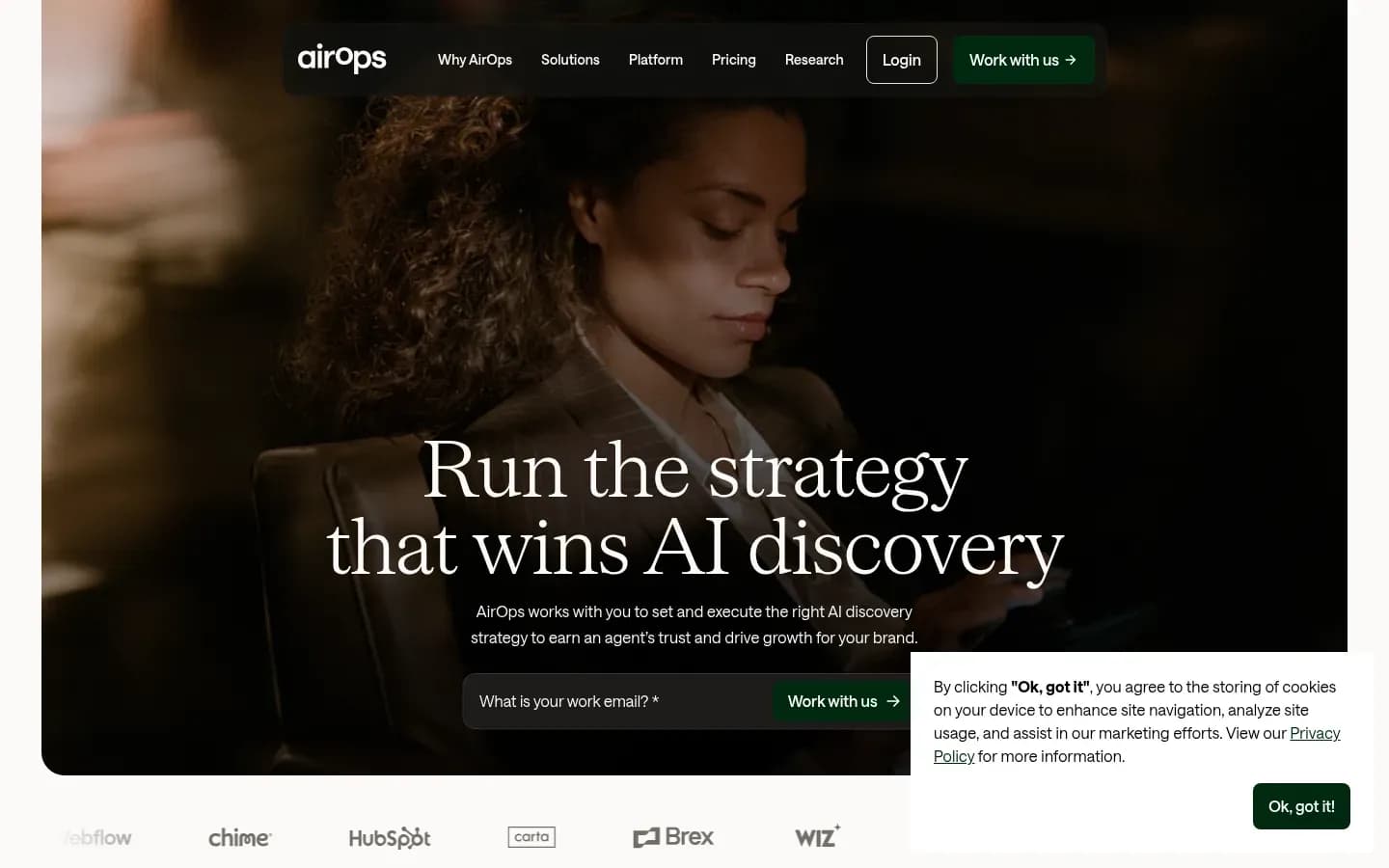
AirOps Page360 puts Search Console clicks, GA4 sessions, page freshness and AI citation rates for ChatGPT and Google AI Mode on one page-level view, then hands that context to AirOps Workflows that rewrite or refresh the page.
AirOps
Platform for marketing and growth teams to plan, publish and refresh content to earn visibility in AI search.
AirOps is a content operations platform for planning, publishing and refreshing pages to earn visibility in AI search. Its Workflows run agents that generate or update content, and Page360 feeds them performance data per page. AirOps raised a $40M Series B in November 2025 to build for AI search.
- Free trial
- 14 days, no card needed
- Compliance
- GDPR
Verdict: The best pick for content operations teams that refresh many pages from performance data.
What it does: Page360 joins Search Console data on clicks, impressions, CTR and position with GA4 data on sessions, traffic sources and on-page behaviour. It adds page freshness and AI search signals, then passes the full picture to agents in AirOps Workflows.
AI engines tracked: ChatGPT and AI Mode, which are the engines AirOps names.
Optimization guidance: Workflows generate or update content using the page's own performance and citation context, so the refresh brief starts from data rather than a keyword list.
Citation-gap view: Page360 shows citations, citation rate and prompts per page, next to clicks and sessions, so a page losing both traffic and citations stands out.
Claim and voice controls: Brand kits and knowledge bases ground the output. Solo includes 1 brand kit and 3 knowledge bases, Pro includes 1 brand kit and 5 knowledge bases, and Enterprise has unlimited brand kits and knowledge bases.
Pricing: AirOps's plans are shown in the table below.
AirOps pricing
| Plan | Price | Billing | Notes |
|---|---|---|---|
| Enterprise | Custom pricing | ||
| Pro | Custom pricing | ||
| Solo | Custom pricing |
Real cost driver: Tasks, the unit AirOps uses for actions such as generating content or extracting data. Solo includes 35,000 tasks and Pro 100,000. A team that runs out keeps working and pays for incremental usage, at $0.025 per extra task on Solo. A Dedicated Account Manager is an add-on, and on Solo so is bringing your own model API keys. Each workspace also gets 50,000 free credits to test workflows in the builder.
Best fit: Teams refreshing dozens or hundreds of pages that want Search Console, GA4 and AI citation data driving each update.
Limitation: AirOps aims its native CMS integrations (Webflow, WordPress, Contentful, Sanity, ContentStack, Ghost and Strapi) and project management integrations (Asana, ClickUp, Monday.com and Airtable) at enterprise customers, who get them at no additional cost.
Pros
- Page360 puts Search Console, GA4, freshness and AI citations on one page view
- Workflows turn that context into page refreshes at volume
- Knowledge bases and brand kits on every plan
Cons
- Task metering makes heavy months harder to forecast
- Native CMS and project management integrations are aimed at enterprise customers
Clearscope
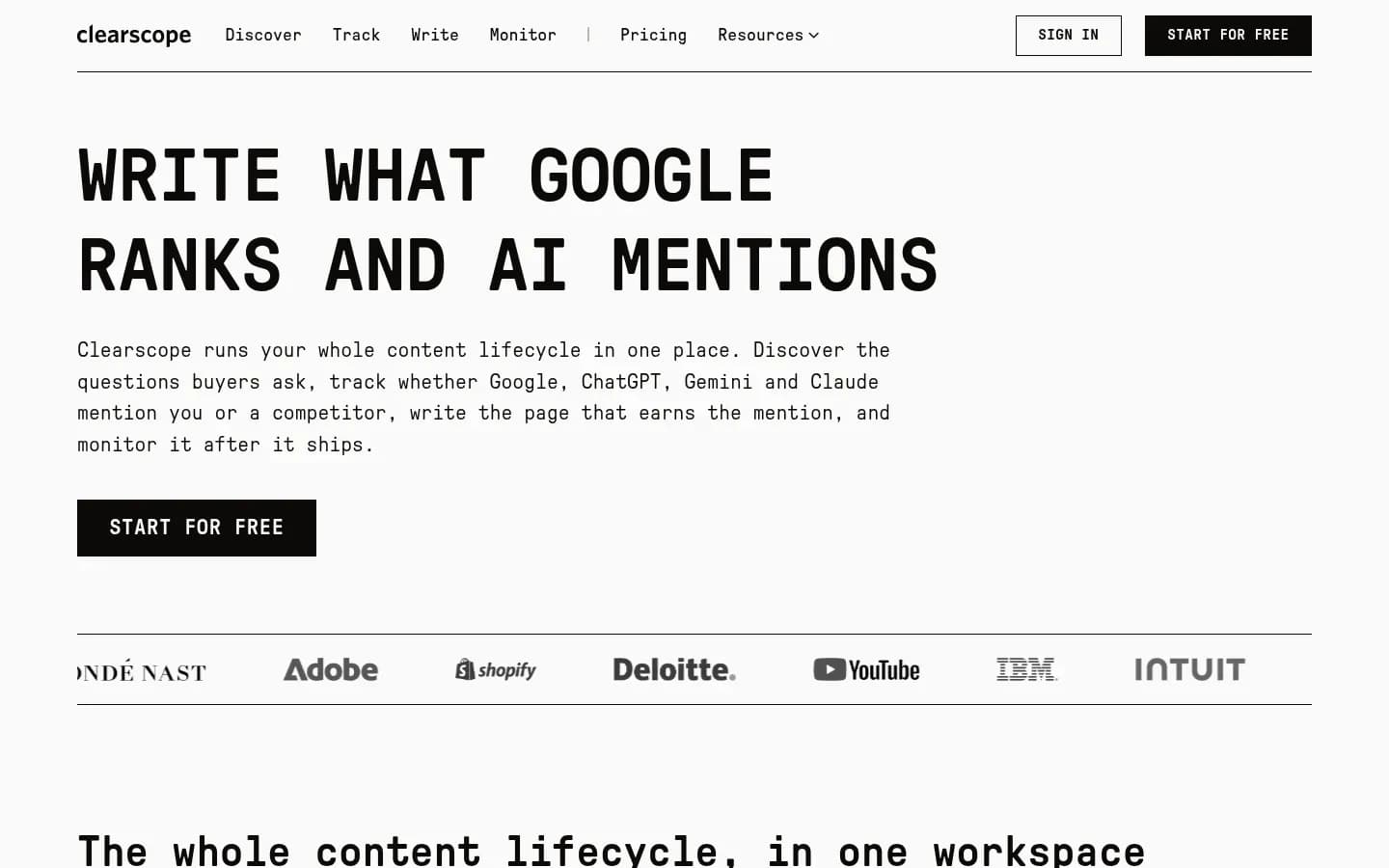
Clearscope grades drafts on term coverage inside Google Docs, Microsoft Word and WordPress, and its Track view shows whether Google, ChatGPT, Gemini and Claude name your brand or a competitor for the same query.
Clearscope
Content platform for content and SEO teams that combines keyword research, AI-assisted drafting with content grading, and tracking of brand mentions in AI search.
Clearscope relaunched as Clearscope 2.0, which it calls a Discoverability Platform. Reports are now called Drafts, and Draft with AI turns a seed keyword into a structured, optimized draft in your voice. It serves editorial teams that want a simple grade where they already write.
- Free trial
- 14 days
- Platforms
- Web
Verdict: The best pick for editorial teams that want a simple grade inside Google Docs, Word or WordPress plus mention tracking.
What it does: Clearscope covers four jobs. Discover shows the questions buyers ask, with volume and intent. Track shows AI mentions. Write gives term guidance and a live grade. Monitor connects to Search Console.
AI engines tracked: Google, ChatGPT, Gemini and Claude.
Optimization guidance: The Write view gives term guidance and a live content grade, and Boost Content Grade fills the gaps it finds.
Citation-gap view: Track shows whether each engine names you or a competitor for a query. Monitor's saved views flag content decay and striking-distance queries, which points the refresh list at pages already close to winning.
Claim and voice controls: Draft with AI writes in your voice. The grade itself does not check claims.
Pricing: Clearscope's plans and prices are shown in the table below.
Clearscope pricing
| Plan | Price | Billing | Notes |
|---|---|---|---|
| Essentials | $129 | per month | |
| Business | $399 | per month | |
| Enterprise | Custom pricing |
Real cost driver: Drafts. Tracking and AI drafts are included from the entry plan with no contract, and additional Drafts cost $5 each on Essentials and $2 each on Business. A team publishing at volume should count its monthly Drafts before choosing a plan.
Best fit: Editors who write in Google Docs or Word and want one grade to aim for, plus a view of how Claude and other engines mention the brand.
Limitation: The grade is term guidance, so it measures coverage of the topic, not the accuracy of the claims or the odds of a citation.
Pros
- Works inside Google Docs, Microsoft Word and WordPress
- Track view includes Claude alongside Google, ChatGPT and Gemini
- No contract, with tracking and AI drafts from the entry plan
Cons
- The grade measures term coverage, not accuracy
- Extra Drafts add a per-draft charge at volume
Conductor
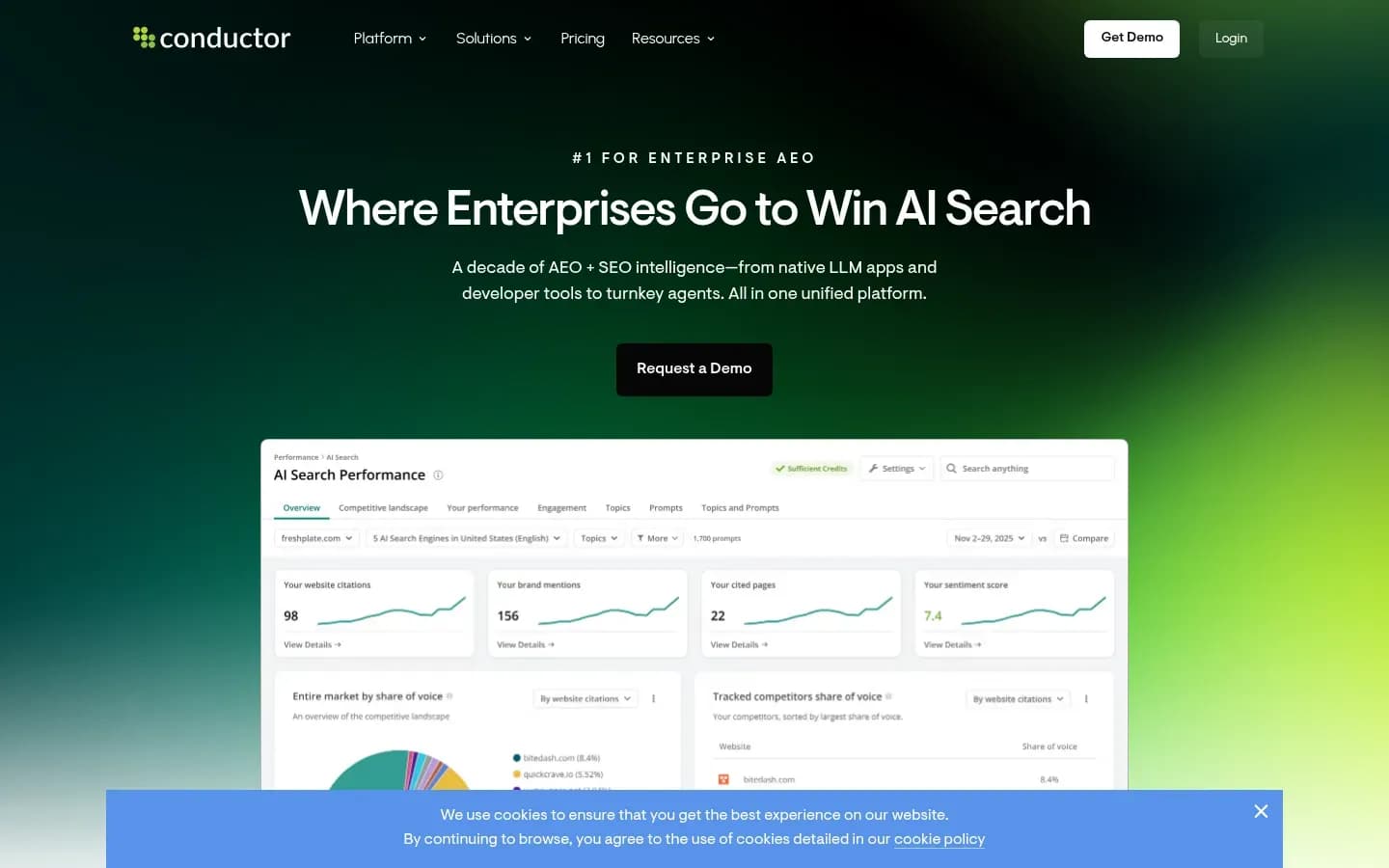
Conductor's Writing Assistant scores drafts on intent alignment and topical coverage using briefs shaped by live AI responses, and the same platform tracks ChatGPT, Gemini, Copilot and Claude and monitors how AI bots crawl the site around the clock.
Conductor
Enterprise SEO and answer engine optimization platform for tracking and improving visibility in search and AI answers.
Conductor is an enterprise SEO and answer engine optimization platform. It tracks brand visibility in search and AI answers, monitors AI bot crawls and adds a Writing Assistant for governed content. It serves enterprise teams that need tracking, technical monitoring and writing in one platform.
- Compliance
- GDPR, ISO 27001, SOC 2
- Ratings
- G2 4.5/5 (824 reviews)
Verdict: The best pick for enterprise teams that need AEO tracking, crawl monitoring and governed writing in one platform.
What it does: Conductor tracks brand visibility, runs 24/7 monitoring of how AI bots crawl a site with alerts, and exposes its data through an MCP Server. It also runs inside ChatGPT, Claude and Copilot.
AI engines tracked: ChatGPT, Gemini, Copilot and Claude, plus traditional search.
Optimization guidance: The Writing Assistant's Content Score evaluates Intent Alignment and Topical Coverage as the draft changes. Briefs list the questions to answer, subtopics and key terms, shaped by live AI responses and the background queries AI engines run.
Citation-gap view: Visibility tracking shows where the brand appears, and briefs built from live AI responses show what the answers already cover. Round-the-clock monitoring of how AI bots crawl the site sends alerts.
Claim and voice controls: A Content Profile carries voice, tone, audience and exclusions into generation. Knowledge Sources ground drafts in company material, and publishing stays in the CMS.
Pricing: Conductor's plans are shown in the table below.
Conductor pricing
| Plan | Price | Billing | Notes |
|---|---|---|---|
| Enterprise | Custom pricing | ||
| Essentials | Custom pricing | ||
| Growth | Custom pricing |
Real cost driver: Modules. Internal Link Suggestions need both Conductor Creator and Conductor Intelligence, so a feature can sit across two products.
Best fit: Enterprises with several content teams, governance requirements and a need to track Copilot and Claude alongside ChatGPT.
Limitation: Conductor sells through demos and is built for enterprise teams, so smaller teams face a heavier buying process than with Surfer or Clearscope.
Pros
- Content Profile and Knowledge Sources ground drafts in company material
- 24/7 AI bot crawl monitoring with alerts
- MCP Server opens its data to other tools
Cons
- Demo-led buying process
- Some features need two modules
Semrush
Semrush splits AI content work across two toolkits, a Content Toolkit whose Content Optimizer checks SEO, tone and readability and an AI Visibility Toolkit that tracks prompts in Google AI Mode and ChatGPT, so the real cost depends on how many prompts and boosted articles a team needs.
Semrush
Online visibility platform covering SEO, AI search visibility, advertising and content for marketers, agencies and businesses of all sizes.
Semrush is an online visibility platform covering SEO, AI search visibility, advertising and content. Adobe completed its acquisition of Semrush in 2026, and the toolkits are still sold under the Semrush name. It serves teams that already run SEO in Semrush.
- Free plan
- Yes
- Free trial
- 7 days
- Public API
- Yes
- Compliance
- GDPR
Verdict: The best pick for teams already paying for Semrush that want optimization and AI tracking without a new vendor.
What it does: The Content Toolkit's Content Optimizer gives SEO, tone and readability tips, with unlimited standard articles and one-click WordPress export to up to 100 sites. The AI Visibility Toolkit, sold as an add-on to a Semrush subscription, runs Prompt Tracking.
AI engines tracked: Google AI Mode and ChatGPT, the platforms Semrush names for Prompt Tracking.
Optimization guidance: The Content Optimizer checks SEO, tone and readability. Brand Performance reports in the AI Visibility Toolkit add AI-generated strategic recommendations.
Citation-gap view: Prompt Tracking and Brand Performance live in the AI Visibility Toolkit, separate from the Content Toolkit where the writing happens.
Claim and voice controls: Up to 50 saved brand voices keep tone consistent across writers.
Pricing: Semrush's plans and prices are shown in the table below.
Semrush pricing
| Plan | Price | Billing | Notes |
|---|---|---|---|
| Free | $0 | per month | |
| SEO |
|
| |
| Starter |
|
| |
| Pro+ |
|
| |
| Advanced |
|
|
Semrush AI Visibility Toolkit pricing
| Plan | Price | Billing | Notes |
|---|---|---|---|
| AI Visibility Toolkit | $99 | per month | per user |
Semrush Content Toolkit pricing
| Plan | Price | Billing | Notes |
|---|---|---|---|
| Content Toolkit | $60 | per month |
Real cost driver: Toolkits and prompt caps. The base AI Visibility Toolkit includes 25 tracked prompts, Semrush One tiers include 50, 100 or 200, and an add-on adds 50 more. Semrush One bundles the SEO and AI Visibility toolkits. On the content side, 5 SEO-boosted articles a month are included, with 10 more for $30 a month.
Best fit: Teams already running keyword research and audits in Semrush that would rather add a toolkit than a vendor.
Limitation: Optimization and AI tracking sit in separate toolkits, so the citation-gap view is not inside the editor and a writer has to switch tools to see it.
Pros
- No new vendor for existing Semrush customers
- Up to 50 saved brand voices
- One-click WordPress export to up to 100 sites
Cons
- Optimization and AI tracking live in separate toolkits
- Prompt caps tie tracking cost to tier and add-ons
What Is AI Content Optimization?
AI content optimization is the work of shaping a page so that AI answers can lift and cite it, and it matters because Google users clicked a result link in 8% of visits when an AI summary appeared, against 15% without one. It also covers ranking work for Google, since the same page has to earn both.
The click figures come from a Pew Research Center study of browsing data from 900 U.S. adults in 2025. In that study, 18% of searches produced an AI summary, and a link inside the summary was clicked in 1% of visits. Wikipedia, YouTube and Reddit were the sources most often linked in AI summaries and standard results alike.
That shift changes what a content team optimizes for. A page now needs to be the source an AI answer quotes, not only a blue link. The tools above help in three ways. They compare a draft with pages that rank, they show which pages AI answers cite, and they feed that context back into a brief or a refresh.
What gets lifted is evidence, not keywords. The GEO study from Princeton University and IIT Delhi found that citing sources, adding quotations and adding statistics raised visibility in generative engine responses, while keyword stuffing offered little to no improvement. AI content optimization is one part of AI search visibility, the wider work of how a brand appears in AI-generated answers.
Do Content Optimization Scores Improve Rankings Or AI Citations?
Content scores track rankings only loosely, since an Ahrefs study of five tools across 20 keywords found weak correlations between scores and Google positions, so a score in the range of the top pages is enough and the rest of the effort belongs to evidence. A high score is not a ranking or citation lever by itself.
The Ahrefs study compared scores from Surfer, Frase, NeuronWriter, Clearscope and its own AI Content Helper. NeuronWriter and AI Content Helper fared best, and the other three showed very weak correlations. Two caveats apply. Ahrefs sells a competing tool, and 20 keywords is a small sample. The result is a correlation, not proof of cause either way.
A content score measures term and topic coverage. It does not measure whether a claim is accurate, or how likely an AI answer is to cite the page.
Scores still do a useful job. Surfer's Content Score shows SEO and AI Search side by side, Clearscope's grade shows term coverage, and Conductor's score tracks intent alignment and topical coverage. Each tells a writer whether a draft covers the topic the way top pages do. None of them reads the claims, so a draft can score well and still carry a wrong figure.
40%
Generative engine optimization methods raised visibility in generative engine responses by up to 40% in the GEO study, with citing sources, adding quotations and adding statistics performing best.
2024 · GEO-bench, 10,000 queries · Source
The GEO study points the remaining effort somewhere specific. Its top methods each delivered relative gains of roughly 30 to 40%, and every one of them adds evidence rather than terms.
A workable decision rule follows from both studies:
- Use the score to get into the same range as the top-ranking pages, then stop chasing points.
- Spend the saved time on sourced statistics, quotations and answer-first passages.
- Recheck cited pages over time, because the sources AI answers pick move, and research on how often AI citations change shows the turnover is real.
How To Find Citation Gaps In AI Answers
A citation gap is a prompt where AI answers cite a competitor's page instead of yours, and Surfer's Owned Content filter and AirOps Page360 show it page by page, while Clearscope's Track view shows it as brand mentions.
Surfer shows which of your pages and which competitor pages are already cited per prompt. Clearscope shows whether Google, ChatGPT, Gemini and Claude name you or a competitor for a query. AirOps puts the citation rate next to Search Console and GA4 data for each page, so a gap on a high-traffic page stands out.
The method below works with any of these tools:
- Pick the prompts that match your buyers' questions and the pages you want cited for them
- See which pages each engine cites for each prompt with Surfer's Owned Content filter or AirOps Page360, or which brands it names with Clearscope's Track view
- Compare your page with the cited page on answer-first passages, sourced statistics and coverage of the question
- Check that AI crawlers can reach and read your page, with Conductor's crawl monitoring or a manual audit
- Brief the refresh with the missing evidence, passages and subtopics
- Track the same prompts after publishing to see whether the citation moves
Start with gaps on pages that already earn traffic. AirOps Page360 puts clicks and sessions next to citation rate, and Clearscope's Monitor view flags content decay and striking-distance queries. The first refreshes then go to pages close to winning rather than to new topics.
A gap is not always a content problem. When an engine cites another page, the cause can be crawler access, prompt relevance or how the engine selects sources, so it pays to investigate missing AI citations before rewriting.
Crawler access is the first thing to rule out. Conductor monitors how AI bots crawl a site around the clock and sends alerts. Without a tool like that, a team can audit pages for AI retrieval by checking robots rules, bot settings and the raw HTML a crawler receives.
How To Validate Claims Before Publishing AI-Optimized Content
No content score checks whether a claim is true, because Conductor's Writing Assistant scores intent alignment and topical coverage and Clearscope grades term coverage, so claim validation stays an editor's job backed by grounding sources such as Conductor Knowledge Sources or AirOps knowledge bases.
Grounding inputs reduce the risk, and each tool handles them differently:
- Conductor: Knowledge Sources ground drafts in company material, and a Content Profile carries voice, tone, audience and exclusions.
- AirOps: Knowledge bases and brand kits feed workflows, with more knowledge bases on higher plans.
- Surfer: The Facts feature fills in missing information in a draft.
- Semrush: Up to 50 saved brand voices keep tone consistent.
These controls shape what a draft says. They do not confirm that a figure is right. That matters more in AI search, because the GEO study found statistics and cited sources are what lift visibility in generative answers. A wrong number placed where an AI answer can quote it spreads further than a weak sentence.
Load grounding before drafting, not after. Put approved product facts, positioning and customer proof into Knowledge Sources or a knowledge base, so the draft starts from company material. Then check whatever the model added beyond those sources.
Editors can run this check before every publish:
- Trace every statistic to its primary source, not to a blog that repeats it
- Name the source in the same sentence as the number
- Give each study's year and sample where the source states them
- Label vendor claims as the vendor's own figures
- Re-check every figure an AI draft added against its source
- Cut any claim that cannot be traced
How To Choose An AI Content Optimization Tool
Choose an AI content optimization tool by the engines it names on its own pages, whether it ties citation gaps to your own URLs and what meter drives the bill, because Surfer, Clearscope, Conductor and Semrush each name a different set of AI engines.
Start with the engines your buyers use, then work down the list below. AirOps names ChatGPT and AI Mode, while Surfer, Clearscope, Conductor and Semrush each name their full lists.
Selection criteria
| Criterion | What to check | Where it differs |
|---|---|---|
| AI engines named | Engines on vendor pages | Surfer five, Semrush two |
| Citation-gap view | Citations tied to your URLs | Surfer, AirOps Page360 |
| Mention tracking | Whether engines name you | Clearscope Track |
| AI answer guidance | Editor targets AI answers | Surfer, Conductor |
| Grounding and voice | Knowledge sources, brand voice | Conductor, AirOps, Semrush |
| Workflow fit | Editors, CMS, MCP | Clearscope in Docs, Surfer MCP |
| Usage meter | What the bill counts | AirOps tasks, Clearscope Drafts |
Expect numbers to disagree between tools. Two platforms can report different visibility for the same brand without either being wrong, and AI visibility scores differ between platforms for that reason. Pick one tool as the system of record and judge trends inside it.
Real pages settle most of the rest. Where a tool offers a trial or a demo, run the same prompts and the same page through it and compare the gaps each one shows.
What AI Content Optimization Tools Cost To Run
The bill for an AI content optimization tool is driven by its meter more than its list price, since AirOps charges Solo users $0.025 per extra task, Clearscope prices each additional Draft by plan and Semrush caps tracked prompts per tier.
The pricing tables in each tool section show the list prices. The table below shows what each bill counts and what pushes it up.
What drives the bill
| Tool | What you pay for | What forces an upgrade or add-on |
|---|---|---|
| AirOps | Tasks for generating content and extracting data | Overage at $0.025 per task on Solo, a Dedicated Account Manager add-on |
| Surfer | Plan tier | MCP access from Pro, AI Tracker API on Enterprise |
| Clearscope | Drafts | Extra Drafts at $5 on Essentials or $2 on Business |
| Conductor | Modules | Internal Link Suggestions need Creator and Intelligence |
| Semrush | Separate toolkits | Prompt caps, a 50-prompt add-on, 10 boosted articles for $30 a month |
Two habits keep the cost predictable. First, size the prompt list before choosing a tier, since tracking cost scales with it. It helps to build an AI search prompt tracking list by intent and keep it to the prompts that map to pages you can change.
Second, count the monthly output. A team refreshing many pages a month on Clearscope pays per extra Draft beyond its plan, and on AirOps each refresh consumes tasks. AirOps gives each workspace 50,000 free credits to test workflows in the builder, which helps estimate task use before committing.
Third, price features rather than product names. Semrush One bundles the SEO and AI Visibility toolkits with 50, 100 or 200 tracked prompts by tier, while Conductor splits Internal Link Suggestions across Creator and Intelligence. Map each feature on the shortlist to the plan, toolkit or module that carries it before comparing totals.
Which AI Content Optimization Tool Should You Choose?
If your team writes in one editor and needs ChatGPT, Gemini, Perplexity and AI Overviews covered, choose Surfer, and if it refreshes pages at volume from Search Console, GA4 and AI citation data, choose AirOps. Clearscope suits editors in Google Docs or Word, Conductor suits governed enterprise teams, and Semrush suits existing Semrush customers.
Pick by situation
| Situation | Choose | Why |
|---|---|---|
| One editor plus multi-engine tracking | Surfer | Content Score for SEO and AI Search, five named engines |
| Refreshing hundreds of pages from data | AirOps | Page360 feeds Search Console, GA4 and citations into Workflows |
| Writing in Google Docs or Word | Clearscope | Simple grade in the editor, Track view includes Claude |
| Enterprise governance and crawl monitoring | Conductor | Copilot tracking, Knowledge Sources, 24/7 AI bot monitoring |
| Already on Semrush | Semrush | Content and AI Visibility toolkits from one vendor |
Each pick has a trade-off. Surfer's newer AI features are still in beta. AirOps meters tasks. Clearscope's grade measures coverage, not accuracy. Conductor sells through demos. Semrush keeps tracking and writing in separate toolkits.
Who each pick does not suit matters as much. Surfer is a weaker fit for teams that must track Copilot or Claude, which it does not name. AirOps gives a team publishing a handful of posts a month less to work with, since Page360 and Workflows pay off across many pages. Clearscope does not suit teams that need AI crawl monitoring. Conductor does not suit a small team that wants to start self-serve. Semrush does not suit writers who want citation gaps inside the editor.
Frequently Asked Questions
Can AI content optimization tools write the whole article?
AI content optimization tools can draft whole articles, as Clearscope's Draft with AI and Surfer's Surfy do, but the draft still needs an editor to add sourced statistics and check every claim. Statistics and cited sources are what lift visibility in AI answers, so an unchecked figure is the riskiest part of an AI draft.
Which AI engines do content optimization tools track?
It depends on the vendor. Surfer names ChatGPT, Gemini, Perplexity, Google AI Mode and AI Overviews. Clearscope names Google, ChatGPT, Gemini and Claude. Conductor names ChatGPT, Gemini, Copilot and Claude. Semrush names Google AI Mode and ChatGPT, and AirOps names ChatGPT and AI Mode before adding "and more".
Is there a free way to try AI content optimization tools?
Some tools let a team try before paying. AirOps gives each workspace 50,000 free credits to test workflows in its workflow builder, and the comparison table above shows which tools offer a free trial. A trial teaches most when it runs on a real page and a real prompt list.
Sources
Sources
- Google users are less likely to click on links when an AI summary appears in the results · pewresearch.org
- GEO: Generative Engine Optimization · arxiv.org
- Do Higher Content Scores Mean Higher Google Rankings? We Studied It (So You Don't Have To) · ahrefs.com
- surfer.ai
- conductor.com
- semrush.com
- semrush.com
- airops.com
- airops.com
- builtin.com
- pulse2.com
- businesswire.com