These picks apply to in-house B2B teams building outbound lists from names, companies or LinkedIn profiles, mainly in the US, UK and Western Europe, where the benchmark behind this ranking sampled its contacts. That benchmark is one vendor-run test of decision-makers in four countries, and it did not include RocketReach. Results on your own lists will differ, so run a small pilot on your own contacts before you commit.
Best Email Finder Tools Compared
In a 5,000-contact test run by Anymail Finder, Findymail found an address for 70.9% of contacts at 95.6% accuracy, the strongest result of the four tools on this list that the test measured. Hunter came second on coverage, Prospeo second on accuracy, and Snov.io trailed on accuracy. RocketReach was not part of the test, so it ranks last and is judged on its documented grading and credit rules.
- FindymailBest for most outbound teams
- HunterBest for teams wanting visible sources
- ProspeoBest for precision over reach
- Snov.ioBest for finding and sending together
- RocketReachBest for phones alongside graded emails
The table puts the benchmark results beside each tool's pricing model and free plan status, which come from each brand record.
Email finder tools on one shared benchmark
| Tool | Pricing model | Free plan | Benchmark coverage | Benchmark accuracy | Best for |
|---|---|---|---|---|---|
| Findymail | Freemium | Yes | 70.9% | 95.6% | Most outbound teams |
| Hunter | Freemium | Yes | 57.6% | 86.1% | Teams wanting visible sources |
| Prospeo | Freemium | Yes | 45.2% | 92.5% | Precision over reach |
| Snov.io | Freemium | 46.1% | 75.3% | Finding and sending together | |
| RocketReach | Freemium | Yes | Not in benchmark | Not in benchmark | Phones alongside graded emails |
Read the two benchmark columns together. Coverage is the share of contacts a tool returned an address for. Accuracy is the benchmark's score for how reliable those returned addresses were, as judged by its verifiers. A tool can be strong on one and weak on the other.
Hunter shows why. It found addresses for more contacts than Prospeo or Snov.io, yet the benchmark reports a 9.3% false-positive rate for Hunter, against 3.7% for Prospeo. Prospeo is the reverse case, with high accuracy and the lowest coverage of the four.
Findymail is the only one of the four that leads on both counts, which is why it ranks first. Hunter ranks second because it finds far more addresses than Prospeo at an accuracy most teams can work with, and it shows the evidence behind each one. Snov.io ranks fourth on accuracy, and it also runs email warmup plus email and LinkedIn campaigns in the same platform.
How We Chose And Ranked These Email Finders
Each tool here had to find a work email from a name and company, verify it before returning it and sell self-serve plans, and was ranked on shared benchmark coverage and accuracy, catch-all handling and what each credit buys.
The ranking criteria, in order of weight, are these:
- Coverage and accuracy on one shared benchmark. Both numbers come from the same test file, so the tools are compared on equal terms.
- Catch-all handling. What the tool does when a domain accepts any address and a mailbox cannot be confirmed.
- What a credit buys. When a credit is spent, whether misses and unknown results are free, and whether unused credits roll over.
- Workflow fit. How the tool takes input from LinkedIn, CSV files or spreadsheets, and where it sends results, such as a CRM or a sequencer.
Limits: The benchmark covers four of the five tools and sampled 5,000 decision-makers from LinkedIn Sales Navigator in the US, UK, France and Germany, with junior seniorities excluded. The same file went to 14 tools, each returning one top email per contact. BounceBan, ZeroBounce and MillionVerifier then checked every returned email, with two of three needed to agree and BounceBan deciding catch-all domains. RocketReach was not among the 14, so it ranks last and is judged on its own grading and credit rules plus its G2 review patterns. Prospeo's rank rests on its benchmark result and its credit rules, not on catch-all handling.
Email Finders Considered But Not Included
FullEnrich and Anymail Finder topped the benchmark's coverage table, but FullEnrich is a waterfall that queries other finders and Anymail Finder ran the test itself, so neither is ranked here.
Tools considered and why they are not ranked
| Tool | Reason |
|---|---|
| Anymail Finder | Ran the benchmark, competes in it |
| FullEnrich | Waterfall layer over other finders |
| Voila Norbert | Lowest coverage of 14 tools |
| FindThatLead | Lowest accuracy of 14 tools |
| Skrapp | Accuracy 73.8%, 13th of 14 |
| Lusha | Not in the benchmark used here |
FullEnrich reached 87.1% coverage, the highest in the test, because it queries several sources in sequence. That makes it a layer on top of finders rather than a finder to compare against them. Anymail Finder scored 86.4% coverage at 98.9% accuracy, but it ran and published the test it competes in, so it is not ranked against the tools it measured. At the other end, Voila Norbert covered 41.3% of contacts and FindThatLead reached 66.3% accuracy, the weakest results on each measure.
Findymail
Findymail is the pick for most outbound teams, because it returned emails for 70.9% of 5,000 benchmark decision-makers at 95.6% accuracy, the strongest result of the four tools here that the test measured, and it charges only for verified results.
Findymail
B2B data platform that finds and verifies business emails and phone numbers, for sales teams, agencies and RevOps.
Findymail is a B2B data platform that finds and verifies work emails, and phone numbers outside the EU, for sales teams, agencies and RevOps. It sells credit-based finder plans and separate usage-based prospecting plans, with Signals and Datacare as extra products.
- Free plan
- Yes
- Free trial
- Yes, no card needed
- Platforms
- API, Chrome extension, Web
- Public API
- Yes
- Compliance
- GDPR, SOC 2
- Ratings
- G2 4.9/5 (57 reviews)
How it finds an address: Findymail takes a full name plus a company domain or name, or a LinkedIn profile URL, one at a time or by CSV upload. It also finds and verifies emails while you browse LinkedIn or Sales Navigator. Findymail says it looks up each email live instead of pulling it from a stored database, and every email comes back already verified.
Catch-all and verification: Findymail says it validates catch-all addresses with its own real-time deliverability testing and tells you which ones will land and which will bounce. It guarantees a bounce rate under 5% or a refund, issued after an investigation, according to its FAQ. Both are Findymail's own claims. It also cites Clay ranking it first for email finding, which is vendor-reported with no method on the page.
Benchmark result: Findymail reached 70.9% coverage and 95.6% accuracy, with 3.3% false positives. That is the highest coverage and accuracy of the four tools here that the benchmark measured. Icypeas, Anymail Finder and GetProspect scored higher on accuracy in the same test, so the lead holds within this list.
What drives the bill: Findymail runs two plan families, and the one you pick changes what you pay for.
- Credit plans. One finder credit both finds and verifies a contact, and a phone number costs 10 credits. Only verified results are charged, and unused credits roll over up to twice the monthly allowance. The Starter plan adds 5,000 bonus verifier credits to its 5,000 finder credits, for contacts from other sources.
- Usage-based prospecting plans. These set seats (1, 5 or 20), active signals and rows per file, and measure usage over rolling 5-hour and 7-day windows instead of credits.
- Datacare. Live CRM enrichment with a monthly re-scan, priced separately by the number of CRM records.
Pricing: The table shows Findymail's prospecting plans.
Findymail pricing
| Plan | Price | Billing | Notes |
|---|---|---|---|
| Individual | $99 | per month | per seat |
| Team | $399 | per month | per seat |
| Scale | $999 | per month | per seat |
| Enterprise | Custom pricing | per seat |
Findymail CRM Enrichment & Cleanup pricing
| Plan | Price | Billing | Notes |
|---|---|---|---|
| Datacare | $500 | per month, billed annually | per contact |
Findymail Prospecting pricing
| Plan | Price | Billing | Notes |
|---|---|---|---|
| Individual | $99 | per month | |
| Starter (credit-based) | $99 | per month | |
| Team | $399 | per month | |
| Scale | $999 | per month | |
| Enterprise (credit-based) | Custom pricing | ||
| Enterprise | Custom pricing |
Integrations: Findymail connects natively with Clay, Instantly, Lemlist, HubSpot and Salesforce. It pushes contacts to Instantly, Smartlead, Lemlist and Woodpecker in one click and syncs to HubSpot, Salesforce, Pipedrive, Zoho, Close and Copper. Signals adds alerts on job changes, promotions and posts.
Best fit: Most outbound teams that want the strongest coverage and accuracy of the measured tools here and want to pay only for addresses that come back verified. It also suits teams already sending through Instantly, Smartlead or Lemlist.
Limitations: Phone numbers are available only outside the EU, so European teams that call as well as email need a second source. The usage-based plans measure activity over rolling windows, which is harder to forecast than a fixed credit count. Its catch-all testing and bounce guarantee are Findymail's own claims, and the benchmark reports no catch-all-specific result for it.
Pros
- Highest coverage and accuracy of the four measured tools here
- Charges only for verified results, and credits roll over
- Says it tests catch-all addresses for deliverability
Cons
- No phone numbers for EU contacts
- Two plan families make costs harder to compare
- Catch-all testing is a vendor claim
Hunter
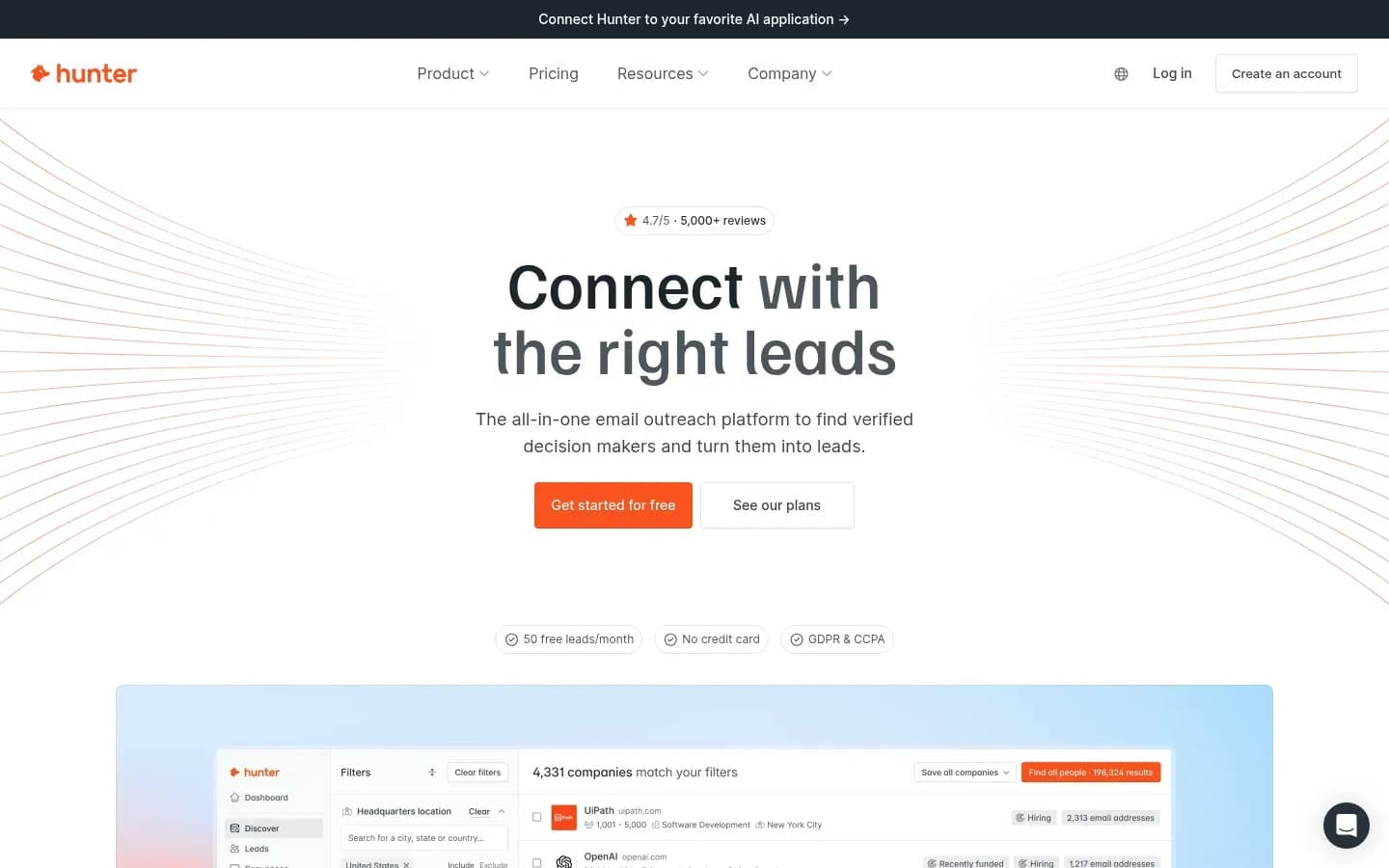
Hunter suits teams that want to see why an address is trusted, since its Email Finder lists the public pages where each address appeared, with discovery dates, next to a confidence score.
Hunter
Email finding and verification platform with domain search and outreach sequences for sales, marketing and founder teams.
Hunter is an email finding and verification platform with domain search and outreach sequences, built for sales, marketing and founder teams. Every plan includes unlimited team members and connected email accounts for sequences.
- Free plan
- Yes
- Platforms
- API, Chrome extension, Web
- Public API
- Yes
- Compliance
- GDPR
- Ratings
- G2 4.4/5 (660 reviews)
How it finds an address: Hunter takes a full name plus the company domain or name. It searches its database of addresses found publicly on the web and the likely patterns of that name on the domain. It returns a verification status, a confidence score and the public sources where the address appeared, with discovery dates. Hunter says its database holds more than one hundred million professional email addresses.
Catch-all and verification: Email Finder and Bulk Email Finder results arrive already verified, while Domain Search results are not always pre-verified. On catch-all domains Hunter returns an Accept all status instead of confirming the mailbox. Hunter recommends verifying before outreach because addresses change over time.
Benchmark result: Hunter reached 57.6% coverage and 86.1% accuracy, with 9.3% false positives. That is second on coverage and third on accuracy among the four measured tools here, and its false-positive rate is more than twice Findymail's or Prospeo's.
What drives the bill: Hunter charges by credit, and its rules are simple to model.
- Email Finder and Domain Search cost 1 credit per email found, and Bulk Domain Search costs 1 credit per up to 10 emails found.
- The Email Verifier costs 0.5 credit per email.
- Nothing is charged when no address is found, and failed verifications return Unknown for free.
- Repeat searches count once per billing period.
- Unused monthly credits do not roll over, while yearly billing grants the year's credits upfront.
- Extra credit packs, mailbox slots and inbox protection are paid add-ons.
Pricing: The table shows Hunter's plans.
Hunter All-in-one outreach platform pricing
| Plan | Price | Billing | Notes |
|---|---|---|---|
| Free | $0 | per month | |
| Starter |
|
| |
| Growth |
|
| |
| Scale |
|
| |
| Enterprise | Custom pricing |
Hunter Data Platform pricing
| Plan | Price | Billing | Notes |
|---|---|---|---|
| Bulk credit purchase | $6,500 | one-time | per credit |
Integrations: Hunter offers a Google Sheets add-on, bulk CSV finding, native CRM integrations and a Zapier connector, and it can send sequences from connected email accounts.
Best fit: Teams that share one account across many people, since seats cost nothing extra, and teams that want to judge each address on its sources before sending. It also suits teams that want light sequencing without a second tool.
Limitations: G2 reviewers praise Hunter's quick setup, ease of use and support. Their recurring complaints are coverage and freshness for smaller or newer companies, frequently missing phone numbers, limited CRM sync of outreach activity and coarse job-title and location filters. Reviewers also say the usage allowances do not suit high-volume prospecting.
Pros
- Shows sources, discovery dates and a confidence score per address
- Unlimited team members on every plan
- No charge when no address is found
Cons
- 9.3% false-positive rate in the benchmark
- Weaker coverage for small or new companies
- Unused monthly credits do not roll over
Prospeo
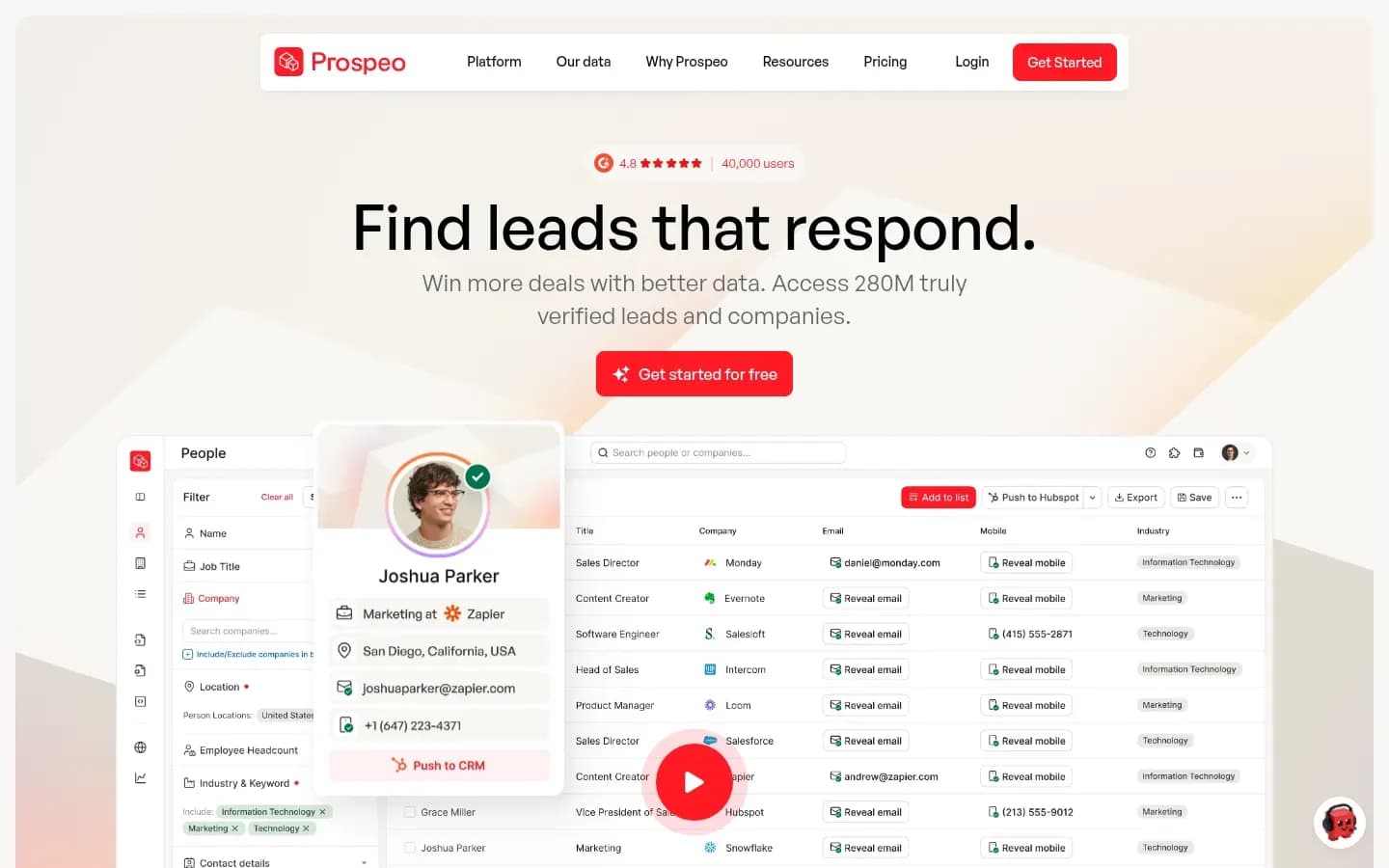
Prospeo trades reach for precision, returning addresses for 45.2% of benchmark contacts but with only 3.7% false positives, so it fits teams that would rather miss a contact than bounce.
Prospeo
Finds verified business emails and mobile numbers so sales teams can reach decision-makers.
Prospeo helps sales teams find verified business emails and mobile numbers so they can reach decision-makers. It finds emails by a person's name or by company.
- Free plan
- Yes
- Platforms
- API, Chrome extension
- Public API
- Yes
- Ratings
- G2 4.6/5 (938 reviews)
How it finds an address: Prospeo searches by name or by company and returns verified business emails, with mobile numbers available from the same credits.
Benchmark result: Prospeo reached 45.2% coverage and 92.5% accuracy, with 3.7% false positives. That is the lowest coverage of the four measured tools here but the second-highest accuracy, behind Findymail.
What drives the bill: Prospeo prices its paid plans per user, so the bill grows with headcount.
- Starter gives 2,000 credits per user per month, Growth 5,000 and Pro 15,000.
- Growth adds CRM integrations and advanced filtering.
- Credits are spent when you export, reveal or enrich an email or a mobile number.
- Unused credits expire at the end of each billing cycle, and yearly billing grants credits upfront.
Pricing: The table shows Prospeo's plans.
Prospeo pricing
| Plan | Price | Billing | Notes |
|---|---|---|---|
| Free | $0 | per month | |
| Starter |
|
| per user |
| Growth |
|
| per user |
| Pro |
|
| per user |
Best fit: Teams sending from domains they need to protect, where a bounce costs more than a missed contact. It also suits SDRs who want mobile numbers from the same credit pool as emails.
Limitations: G2 reviewers praise Prospeo's ease of use, data accuracy and how quickly it pulls contacts from LinkedIn. The most common complaint is credits running out during heavy prospecting or bulk enrichment. Reviewers also flag cost at high volume and coverage gaps for small or niche companies and some regional markets.
Pros
- Second-highest accuracy of the four measured tools here
- Mobile numbers from the same credits as emails
- Few false positives, so fewer bounces
Cons
- Lowest benchmark coverage of the four
- Credits expire each billing cycle
- Per-user pricing grows with team size
Snov.io
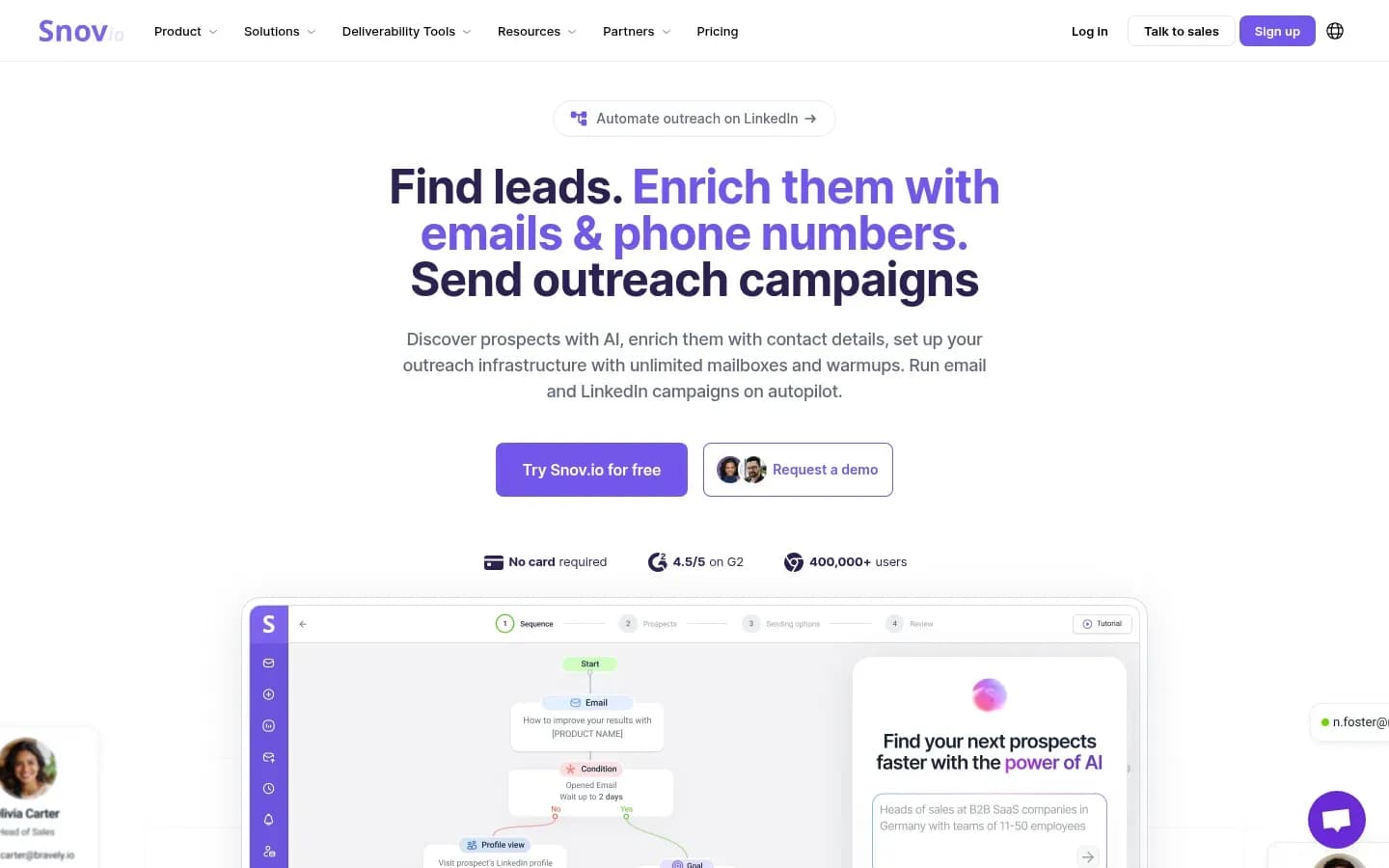
Snov.io is the email finder for teams that want to find, verify and send from one login, though its 75.3% benchmark accuracy sits well below its own claim of over 98%.
Snov.io
Outreach automation and lead generation platform for sales teams and marketers, combining email finding and verification, warmup, and cold email and LinkedIn campaigns.
Snov.io is an outreach automation and lead generation platform for sales teams and marketers. It combines email finding and verification with email warmup and cold email and LinkedIn campaigns.
- Platforms
- Chrome extension
- Public API
- Yes
- Compliance
- GDPR
How it finds an address: Snov.io offers domain search, with Bulk Domain Search handling up to 20,000 domains at a time. It also looks up a name plus a company domain, searches its database filtered by company, and finds emails inside LinkedIn and Sales Navigator. Snov.io describes its emails as pre-verified and claims a database of more than 500 million B2B emails.
Catch-all and verification: Snov.io labels results green for valid, yellow for unknown and red for undeliverable. A found email with an unknown status still costs a credit, so addresses the tool cannot confirm are paid for. Its verifier charges 1 credit per valid or invalid result and nothing for unknown results.
Benchmark result: Snov.io reached 46.1% coverage and 75.3% accuracy, with 15.2% false positives, the weakest accuracy of the four measured tools here. Snov.io says its latest tests show over 98% accuracy. The shared benchmark, run by Anymail Finder, measured 75.3% for Snov.io, so weigh the vendor's figure against that result.
What drives the bill: Each found email with a valid or unknown status costs 1 credit. No credits are charged when no address is found or for red results. Unused credits roll over while the subscription stays active, on monthly and annual plans.
Pricing: The table shows Snov.io's plans.
Snov.io Sales Suite pricing
| Plan | Price | Billing | Notes |
|---|---|---|---|
| Starter (annual billing) | $29.25 | per month, billed annually | |
| Starter | $39 | per month | |
| Pro S (annual billing) | $74.25 | per month, billed annually | |
| Pro S | $99 | per month | |
| Pro M | $189 | per month | |
| Pro L | $369 | per month | |
| Ultra | $738 | per month |
Snov.io LinkedIn Automation pricing
| Plan | Price | Billing | Notes |
|---|---|---|---|
| LinkedIn account slot (annual billing) | $62 | per month, billed annually | |
| LinkedIn account slot | $69 | per month |
Integrations: Snov.io names HubSpot, Pipedrive, Clay and n8n among its integrations. Its own campaigns and warmup run in the same platform, so found contacts can go straight into a sequence.
Best fit: Small teams that want one subscription for finding, verifying, warming and sending, and that will re-verify unknown results before a campaign.
Limitations: On G2, ease of use (139 mentions) and customer support (81) lead the praise. The most frequent negative tag is email issues (39), followed by missing features (26), expensive (22) and learning curve (20). G2's summary flags the credit system as restrictive for larger campaigns.
Pros
- Finding, verification, warmup and sending in one platform
- Unused credits roll over while subscribed
- No charge for misses or red results
Cons
- Weakest benchmark accuracy of the four measured tools here
- Unknown results still cost a credit
- Credit system feels tight for larger campaigns
RocketReach
RocketReach grades every email from A to F and charges a credit only for A or A- addresses, which makes its bill easier to predict than its data, given that inaccurate and outdated data lead the complaint tags in its G2 reviews.
RocketReach
Lead intelligence database for sales and marketing teams to find professionals' email addresses, phone numbers and social profiles.
RocketReach is a lead intelligence database that sales and marketing teams use to find professionals' email addresses, phone numbers and social profiles. It is a contact database first, with email finding as one use of it.
- Free plan
- Yes
- Platforms
- API, Chrome extension
- Public API
- Yes
- Compliance
- ISO 27001, SOC 2
- Ratings
- G2 4.4/5 (1,384 reviews)
How it finds an address: RocketReach looks people up in its own database, which it says holds email, phone and social data for more than 700 million professionals. RocketReach states that 87% of lookups return profiles and that LinkedIn URLs return data 99% of the time. Both are vendor figures with no method given.
Catch-all and verification: RocketReach grades each email instead of returning a yes or no. Grade A means about 98% deliverability, A- about 90% and B between 75% and 85%. B and F grade emails are not charged, so the grade tells you both how far to trust an address and whether you paid for it.
Benchmark result: RocketReach was not among the 14 tools in the shared benchmark, so its email grades are the accuracy signal to work from. Treat a B grade as a send-at-risk address.
What drives the bill: No credit is charged when no data is found. A Premium credit covers an A or A- email or a valid phone number, while a Standard credit covers an A or A- email only. Re-lookups and updates are free while the plan is active. G2 users report credits running out or being spent on phone numbers they did not need.
Pricing: The table shows RocketReach's plans.
RocketReach pricing
| Plan | Price | Billing | Notes |
|---|---|---|---|
| Essentials (Email Only) |
|
| per seat |
| Pro (Email + Phone) |
|
| per seat |
| Ultimate (Email + Phone) |
|
| per seat |
| Custom Team (plans start at $6K annually) | Custom pricing |
Best fit: Buyers who need phone numbers alongside emails and want a grade on every address to decide what to send. It suits teams that call and email the same contacts more than teams that only email.
Limitations: On G2, contact information (276) and ease of use (267) lead the pros tags. The cons tags are led by inaccurate data (115), outdated contacts (111), outdated data (86) and missing information (75). A recurring billing complaint is annual auto-renewal without advance notice, so note the renewal date when you sign.
Pros
- Emails and phone numbers from one database
- Graded emails, with B and F grades not charged
- Free re-lookups while the plan is active
Cons
- Not measured in the shared benchmark
- Inaccurate and outdated data lead G2 complaints
- Reports of annual auto-renewal without notice
How To Choose Email Finding Software
Choose email finding software on two numbers, not one, because coverage and accuracy move apart, as Prospeo shows with 92.5% accuracy at 45.2% coverage in the same benchmark. A finder that returns many addresses but bounces often costs you sender reputation, and one that rarely bounces but misses half the list costs you pipeline.
Work through these checks before you pay:
- Ask for coverage and accuracy as two separate numbers, from one shared test
- Ask what the tool returns on catch-all domains and whether unknown results cost a credit
- Check what one credit buys, whether misses are free and whether unused credits roll over
- Match the tool to the input you have, LinkedIn profile URLs or names and domains
- Check where results go, your CRM or your sequencer
- Decide whether you need phone numbers, and for which countries
Coverage and accuracy. The shared benchmark reports coverage and accuracy as separate numbers for each tool. In the benchmark this list uses, accuracy among the four ranked tools ran from 75.3% to 95.6%, so the gap is large enough to change your bounce rate.
Catch-all and unknown results. Tools treat the same uncertain address in different ways. Hunter returns Accept all, Findymail says it runs its own catch-all deliverability test, Snov.io charges a credit for unknown finds, and RocketReach does not charge for B or F grades.
The credit unit. A Findymail credit finds and verifies a contact, but a phone number costs 10 credits. Hunter and Prospeo credits expire each cycle, while Findymail credits roll over up to twice the allowance and Snov.io credits roll over while you subscribe.
Your input. Findymail accepts a LinkedIn profile URL as well as a name and domain. Hunter needs a name and a company domain or name. Snov.io adds bulk domain search for up to 20,000 domains. The full method for turning a name and company into a business email covers cleaning inputs before you run a finder.
Where results go. Findymail pushes contacts straight into Instantly, Smartlead, Lemlist and Woodpecker and syncs with six CRMs. If your team builds its own pipeline in code, the comparison of email finder APIs for developers is the better starting point.
Phone numbers. Prospeo and RocketReach return phone data with emails. Findymail offers phone numbers only outside the EU.
How Accurate Are Email Finder Tools?
Email finder accuracy varies widely, and in one 5,000-contact benchmark accuracy ranged from 66.3% to 99.1% across 14 tools while coverage ranged from 41.3% to 87.1%. Among the four tools ranked here that the test measured, accuracy ran from Snov.io's 75.3% to Findymail's 95.6%.
95.6%
Findymail's benchmark accuracy, the highest of the four tools on this list that the test measured.
2026 · 5,000 decision-maker contacts across 14 tools · Source
Three terms explain most of the gap between tools:
- Coverage is the share of contacts a tool returns an address for.
- Accuracy is the benchmark's score for how reliable the returned addresses were, as judged by three verification services.
- The false-positive rate counts addresses a tool presented as good that the verifiers judged bad. It is the figure that turns into bounces.
The spread shows why one number is never enough. Icypeas had the top accuracy in the test, 99.1%, but covered only 49.0% of contacts. FullEnrich had the top coverage, 87.1%, as a waterfall that queries several sources in turn. Findymail's 95.6% accuracy at 70.9% coverage is the best balance among the tools on this list.
Set vendor claims beside measured results and keep their owners apart. Snov.io says its latest tests show over 98% accuracy, while the shared benchmark measured 75.3% for Snov.io. RocketReach states that 87% of lookups return profiles, which is a find-rate claim with no method given, and RocketReach was not in the benchmark.
False positives are what reach your bounce rate. The benchmark reports these false-positive rates for the four tools here:
- Findymail 3.3%
- Prospeo 3.7%
- Hunter 9.3%
- Snov.io 15.2%
Accuracy in this test is a verdict from three verification services, with two of three needing to agree and BounceBan deciding catch-all domains. It is a strong proxy for deliverability, not a record of real sends.
The benchmark has limits of its own. It is one test, run by Anymail Finder, a vendor that competes in it. It sampled decision-makers in the US, UK, France and Germany only, with junior staff excluded. Lists of junior staff, smaller companies or other regions may score lower, so a pilot of a few hundred of your own contacts is the most reliable check.
How Much Do Email Finder Tools Cost To Run?
What an email finder costs to run depends less on its list price than on its credit rules, since Hunter, Findymail, Snov.io and RocketReach all skip charging for misses but differ on unknown results, phone reveals and rollover. Each tool's plans and prices sit in the pricing table in its own section above.
What a credit buys in each email finder
| Tool | What one credit buys | Charged when | Unused credits or reuse |
|---|---|---|---|
| Findymail | Find plus verify one contact | Verified results only | Roll over up to 2x |
| Hunter | One found email | Each email found | Monthly credits expire |
| Prospeo | One email or mobile | Export, reveal or enrich | Expire each cycle |
| Snov.io | One found email | Valid or unknown finds | Roll over while subscribed |
| RocketReach | One A or A- email | A or A- grades only | Free re-lookups while active |
Five rules drive most of the real spend:
- Seats. Prospeo prices paid plans per user, so a five-person team pays five times. Hunter includes unlimited team members on every plan, which makes it cheaper to spread across a large team.
- Phone reveals. A Findymail phone number costs 10 credits, against 1 credit for a verified email. RocketReach needs a Premium credit for a phone, and G2 users report credits spent on phones they did not need.
- Unknown results. Snov.io charges for a found email with an unknown status, so a list heavy with catch-all domains uses more credits than the number of usable addresses. Findymail charges only for verified results, and RocketReach does not charge for B or F grades.
- Verification credits. Hunter's verifier costs 0.5 credit per email, and Snov.io charges 1 credit per valid or invalid check. Findymail's Starter plan adds 5,000 bonus verifier credits for contacts from other sources.
- Expiry. Hunter's monthly credits and Prospeo's credits expire each cycle, so an uneven prospecting month wastes them. Findymail rolls credits over up to twice the allowance, and Snov.io rolls them over while you subscribe.
For a team that prospects in bursts, rollover matters more than a lower plan price. For a large team, seat rules matter most.
Do You Need To Verify Emails From An Email Finder?
Verify found emails again before a campaign if the list has aged, because the median US worker had been with their current employer for 4.1 years in January 2026, so addresses go stale as people move. Fresh finder results are usually verified already, but catch-all addresses still need a decision before you send.
Each tool here flags uncertain addresses in its own way:
- Hunter returns an Accept all status and recommends verifying before outreach.
- Findymail says it runs real-time deliverability tests on catch-all addresses and tells you which will land.
- Snov.io marks addresses it cannot confirm as unknown, shown in yellow, and still charges a credit for the find.
- RocketReach grades emails from A to F, with B meaning 75% to 85% deliverability.
Verification also costs credits, so plan for it. Hunter's verifier costs 0.5 credit per email and returns Unknown for free when a check fails. Snov.io charges 1 credit per valid or invalid check and nothing for unknown results. Hunter's Domain Search results are not always pre-verified, so run those through the verifier before a send.
The tenure figure is a median, it has risen from 3.9 years in January 2024, and it varies by job. Workers in management, professional and related occupations had the highest median tenure, 4.9 years.
Statuses differ between tools, and the guide to what valid, accept-all and unknown statuses mean sets out the send, hold or suppress action for each one.
Which Email Finder Tool Should You Use?
For most outbound teams, choose Findymail, and if you need to see the sources behind each address with unlimited seats, choose Hunter. Pick Prospeo when precision and mobile numbers matter more than reach, Snov.io for one login from finding to sending, and RocketReach when phone numbers matter as much as emails.
Which email finder to pick by situation
| Situation | Pick | Decision rule |
|---|---|---|
| Most outbound teams | Findymail | Top measured coverage and accuracy |
| Many users, visible sources | Hunter | Unlimited seats, sources per address |
| Bounces cost more than misses | Prospeo | 3.7% false positives, mobiles included |
| One platform, find to send | Snov.io | Finding, warmup and campaigns together |
| Phones alongside graded emails | RocketReach | A to F grades, phone credits |
The table maps to team shapes as well:
- A large team sharing one account. Hunter's unlimited team members keep the cost flat as the team grows, while Prospeo's per-user plans grow with every seat.
- A team that wants to pay only for verified finds. Findymail charges only for verified results, and says it tests catch-all addresses for deliverability before returning them.
- SDRs who call as well as email. Prospeo and RocketReach return phone data, with RocketReach grading each email so reps can decide what to send.
- A small team with one budget line. Snov.io covers finding, warmup and campaigns, but re-verify its unknown results before a sequence goes out.
One rule overrides the table. If your team needs phone numbers for contacts in the EU, Findymail's phone data does not cover them, so pair it with a second source or pick a tool that returns phones there.
Most teams should shortlist two tools, not one. Run both on the same few hundred contacts from your own list, then compare found addresses, bounces and credits used before you commit to either.
Is It Legal To Use An Email Finder For Cold Email?
Using an email finder for cold email is legal in the US and UK when the sending rules are followed, but CAN-SPAM makes no exception for business-to-business email, so every message needs an opt-out and a postal address. The FTC and ICO guidance also sets duties on how you send, from clear sender identity to honouring opt-outs.
United States: Under the FTC's CAN-SPAM guide, each separate email that breaks the law is subject to penalties of up to $53,088. Opt-out requests must be honoured within 10 business days, and every message must include a valid physical postal address.
United Kingdom: The ICO says the PECR rule on electronic marketing does not apply to corporate subscribers, so PECR consent is not needed to email a limited company. Sole traders and partnerships are different, and need consent or the soft opt-in.
Before a list built with an email finder goes into a sequence, check these points:
- The sender's identity is clear in every email.
- Every email carries a working opt-out, and opt-outs are honoured within 10 business days.
- US emails include a valid physical postal address.
- Sole traders and partnerships in the UK are separated from limited-company contacts.
Build these duties into your sending setup before the first send. The steps for setting up a first cold email campaign cover list verification, sending domains and launch checks.
This is general information, not legal advice.
Frequently Asked Questions
What is the difference between an email finder and an email verifier?
An email finder guesses and confirms a likely work address from a name and company, while an email verifier only checks whether an address you already have will accept mail. Hunter's Email Finder returns results already verified, and Snov.io's verifier charges only for valid or invalid results, leaving unknown results free.
How do email finder tools find email addresses?
Most combine a database of addresses found publicly with likely patterns built from the person's name and the company domain, then verify the best match. Hunter searches public web sources and name patterns on the domain, while Findymail says it looks each email up live and also accepts a LinkedIn profile URL as input.
How often should you re-verify emails from an email finder?
Re-verify before each new campaign once a list is older than one campaign cycle, because people change jobs and their old addresses stop working. Hunter itself advises verifying before outreach since addresses change over time. The research on how fast B2B contact data decays sets out how quickly lists go stale by field.
Sources
Sources
- Email Finder Benchmark 2026: Coverage & Accuracy of 14 Tools · anymailfinder.com
- RocketReach Reviews | G2 · g2.com
- g2.com
- prospeo.io
- snov.io
- snov.io
- g2.com
- docs.rocketreach.co
- rocketreach.co
- Employee Tenure News Release · bls.gov
- CAN-SPAM Act: A Compliance Guide for Business | Federal Trade Commission · ftc.gov
- Business-to-business marketing · ico.org.uk